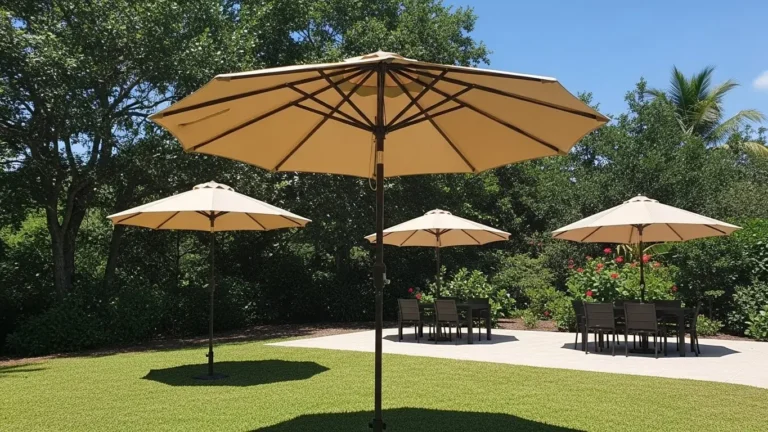



Effective architect support is critical for avoiding specification errors that lead to project delays and liability issues. Integrating generic digital assets for promotional-grade products without clear performance data forces costly, late-stage plan revisions when the physical limitations are discovered on-site.
This brief clarifies the function of DWG, DXF, and RFA files for our OEM process. We provide the exact dimensions, operational clearances, and Grade 3 wind resistance data required to ensure your site plan overlays are accurate and align with our manufacturing constraints.
What Is in the Specifier’s Library? (DWG, DXF, and RFA Files)
The library offers DWG files for AutoCAD, universal DXF files for other CAD software, and data-rich RFA files (Revit Families) for BIM project integration.
| File Format | Description | Primary Use Case |
|---|---|---|
| DWG (Drawing) | The native file format for Autodesk AutoCAD, storing detailed 2D/3D design data. | Projects managed entirely within the Autodesk ecosystem. |
| DXF (Drawing eXchange Format) | A universal vector format ensuring interoperability between different CAD programs. | Sharing 2D drawings with teams using non-AutoCAD software. |
| RFA (Revit Family) | A 3D model containing embedded parametric data (dimensions, materials). | Integrating smart product models directly into a BIM project. |
DWG vs. DXF: Native and Universal 2D CAD Files
Think of DWG as the native language for AutoCAD. If your entire team works in AutoCAD, this is the format you use. It contains all the detailed 2D and 3D design data without any loss of information. A DXF file is the universal translator. You use it when you need to send a drawing to someone using a different CAD program. It flattens the complex data into a vector format that almost any design software can read, ensuring the core geometry gets through without compatibility issues.
RFA Files: Data-Rich 3D Models for Revit
RFA files are a completely different animal. They aren’t just drawings; they are smart 3D objects for Building Information Modeling (BIM). An RFA file, or Revit Family, contains a 3D model of a product with all its critical data embedded—dimensions, materials, manufacturer codes, and more. Architects and designers drop these RFA files directly into their larger building models. This allows for accurate scheduling, cost estimation, and photorealistic renders because the model contains real-world product information, not just shapes.

Do You Provide 3D Models for SketchUp and 3ds Max Rendering?
We don’t maintain a public library of 3D models. Our focus is OEM/ODM manufacturing, building custom outdoor furniture directly from your architectural plans and technical drawings.
Standard File Formats and Platform Compatibility
For project rendering, architects and designers typically exchange files between SketchUp and 3ds Max using common formats. This ensures that the core geometry and design data transfer correctly between platforms. While we don’t supply the models, understanding this workflow is key for planning.
- Interchange Formats: Designs can be moved between software using universal formats like .3DS, .DWG, and .DXF.
- Direct Integration: Specialized plugins also allow 3ds Max to import SketchUp’s native .SKP files directly, often keeping materials and textures intact during the process.
Our Process for Custom Fabrication from Your Blueprints
Our core business is OEM/ODM custom manufacturing for B2B clients. Instead of providing digital assets, we use your project blueprints as the direct input for our production line. We work with architects and developers to build physical products that match their exact specifications.
- Material Selection: You can specify the exact materials needed for the project’s environment and budget.
- Custom Dimensions: We build to the precise dimensions detailed in your technical drawings.
- Finishing & Branding: We accommodate custom finishing details, including silk screen logo printing for branded furniture programs.
Boost Margins with Factory-Direct Umbrellas

Site Plan Overlay Services: Can We Help Layout Your Project?
Yes. We provide detailed product dimensions and digital files. Architects can use these to overlay our umbrellas on site plans to verify placement and clearances before construction begins.
How Digital Overlays Improve Planning Accuracy
Using a digital overlay is the most effective way to prevent spatial problems on commercial projects. It’s a simple process that involves placing a to-scale digital footprint of our product directly onto your project’s blueprint or site image. This removes guesswork and confirms the layout will work in the real world.
- It helps you visualize the real-world scale and positioning of furniture before anything is ordered or installed.
- You can verify critical clearances for walkways, doorways, and other structural elements.
- It’s a key tool for planning pedestrian traffic flow and avoiding spatial conflicts, especially in high-use commercial settings.
Supplying Key Dimensions for Your Plans
We supply architects and designers with the exact data needed for their layouts. You get precise schematics, not just generic marketing measurements. This ensures your plans are based on the actual product specifications.
- Market Umbrella Footprints: We provide the critical canopy diameter for standard models, such as the 2.7m diameter for our PTMU-001 market umbrella.
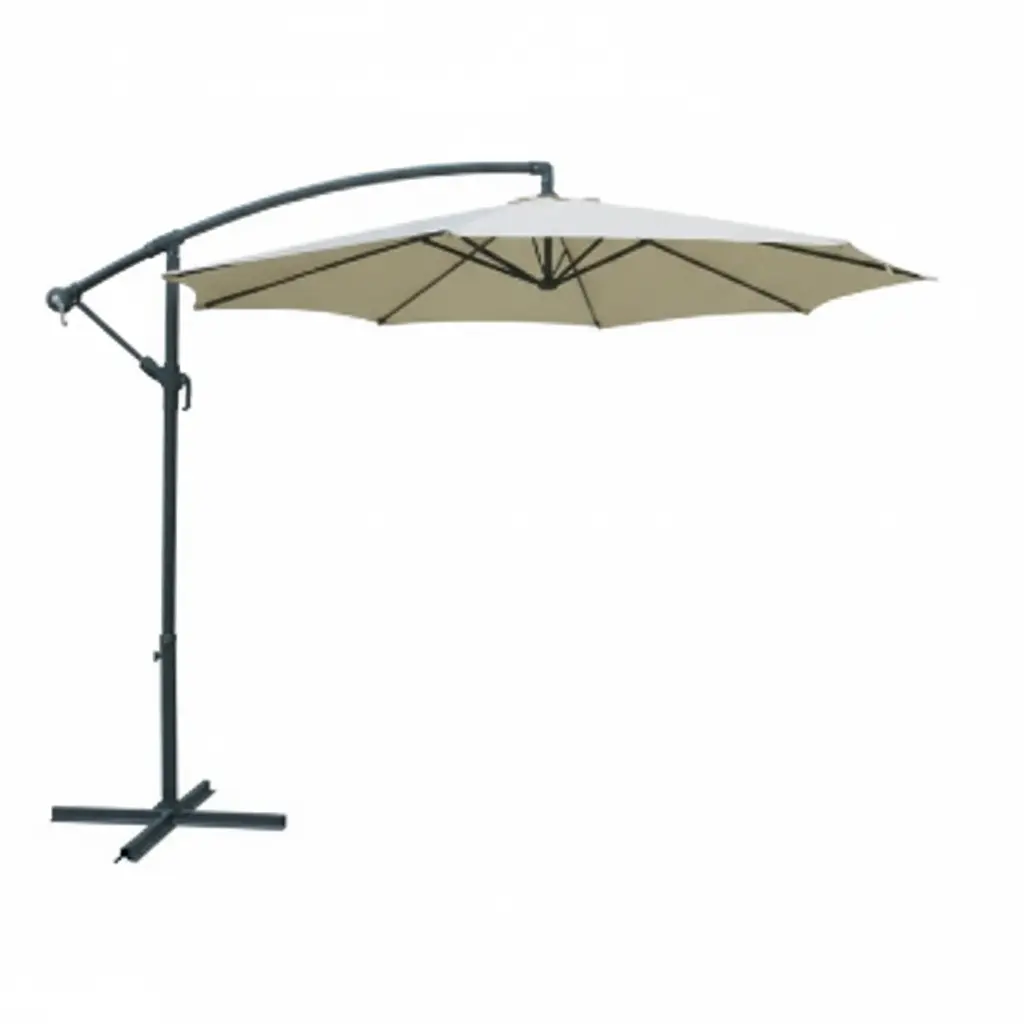
- Hanging Umbrella Swing Area: For offset models like the PTZHU-003 (3.0m/3.5m), we supply data that accounts for the full rotational clearance to prevent collisions with walls or railings.
- Base Anchor Schematics: You get details on anchor footprints, which is essential for planning hardscaping and pouring concrete footings correctly the first time.

Understanding “Throw” and “Swing”: How Do You Read Technical Movement Drawings?
“Swing” is the arc a moving part travels, like an umbrella rotating. “Throw” is the functional clearance an object needs, like the space required to operate its crank.
Defining “Swing” and “Throw” in Furniture Layouts
When planning a commercial outdoor space, technical drawings use specific terms to define movement and clearance. Getting these right prevents obstructions and ensures furniture is fully functional. The two most common terms are swing and throw.
- Swing describes the circular or arced path a component moves along. A perfect example is the 360-degree rotation of a cantilever umbrella’s canopy around its base.
- Throw refers to the operational space an item needs to function. This could be the clearance required to fully crank open a market umbrella or the area needed to use its tilt mechanism without hitting a wall.
Applying Clearance Specs to Cantilever Umbrellas
These concepts are critical for cantilever models. For instance, our PTZHU-003 Banana Umbrella has a distinct ‘swing’ radius for its offset canopy that must be kept clear of walls or columns. The spec sheet will also define the ‘throw’ needed for the crank handle and tilt controls, ensuring an installer leaves enough room for someone to stand and operate them without being cramped.
Base Footprint Details: How Do You Plan Hardscaping Around the Anchor?
A good site plan for a hardscape anchor manages drainage and clearance. The base you choose should suit the furniture’s wind rating to prevent damage and wasted expense.
Core Principles for Site Preparation and Drainage
Getting the groundwork right is non-negotiable. Poor site prep leads to water damage, erosion, and settlement issues that are costly to fix. Before installing any hardscaping, you need a solid plan that accounts for how water moves across the property.
- Establish a detailed site plan to map existing utilities and property lines before you dig.
- Design patios and other hardscapes to pitch away from structures, preventing water from accumulating near foundations.
- Use appropriate base materials, such as open-graded bases with clear gravel, for better drainage and stability.
- Analyze existing drainage patterns to avoid creating new erosion problems or redirecting water toward sensitive areas.
Matching the Base to a Low Wind-Rated Product
Our products are designed for promotional and seasonal use. They aren’t engineered for extreme weather, and the anchoring strategy needs to reflect that reality. Our umbrellas have a wind resistance of Grade 3 (approx. 12-19 km/h) and must be closed in breezy conditions or when not in use.
Because these products are lightweight and portable by design, a complex or permanent hardscape anchor is typically overkill. A heavy, non-permanent base is usually sufficient. This approach avoids unnecessary construction costs for an item built for entry-level retail or promotional campaigns.
Do You Offer Wind Load Spec Sheets for Engineering Approval?
We do not provide engineer-sealed wind load documents. Our umbrellas are promotional-grade products designed for seasonal use and are not intended for permanent installations requiring building code approval.
The Role of Certified Wind Load Documents in Construction
Official wind load spec sheets are formal documents, signed and sealed by a licensed engineer. They certify that a structure meets local building codes, like ASCE 7 standards, for wind resistance. This type of documentation is required to get building permits for permanent architectural installations. It doesn’t apply to temporary or seasonal furnishings like promotional umbrellas.
Our Product’s Wind Resistance and Usage Guidelines
Our umbrellas have a wind resistance rating of Grade 3, which is suitable for gentle breezes up to about 19 km/h. They are built as promotional-grade products to offer seasonal value, not permanent structural performance. For safety and to prevent damage, they must be closed when not in use or during any breezy conditions.

Where Can I Download Digital Fabric Swatch Textures for My Renders?
Find digital fabric textures on free sites like Architextures and Freepik, or specialized premium platforms like Adobe Stock and Toffu Co for professional needs.
Free and Freemium Texture Libraries
For initial concepts, presentations, or projects with tight budgets, these platforms offer a solid range of seamless fabric patterns at no or low cost.
- Architextures: Provides a library of seamless textures you can edit directly. It’s free for any personal or educational projects, with a pro subscription for commercial use.
- Freepik: Hosts thousands of free vector graphics and realistic fabric files, including common materials like cotton, wool, and denim.
- Designers Nexus: Offers patterns with seamless repeats, which simplifies application and color adjustments in your renders.
- Vecteezy: Contains a large collection of royalty-free texture vectors for different materials, fabrics included.
Premium and Specialized Architectural Resources
When you need high-resolution, specific materials for commercial plans or photorealistic interior renders, these professional-grade sources are a better fit.
- Toffu Co: Creates architectural texture swatches inspired by materials like terrazzo, grass, and wood, delivering them in AI and JPG formats.
- Adobe Stock: Maintains a vast professional collection of fabric patterns and textures designed for high-end visualizations.
- Post Digital Architecture: Curates fabric swatches and patterns specifically for use in architectural plans and professional renderings.
How Do You Request a Complete Trade File Pack?
To get a trade file pack, specify the files you need (CAD, specs). For custom OEM/ODM jobs, send your project blueprints with material requirements for a tailored file set and quote.
For architects, designers, and commercial buyers, getting the right technical files is the first step in specifying products for a project. The process is straightforward, but it helps to know exactly what to ask for, especially when dealing with custom OEM or promotional orders.
Defining the Scope of Your File Request
Before you send an email, clarify what you need for your project’s current stage. Most specifiers require a standard set of files to integrate products into their plans and renderings. Being specific saves everyone time.
- 2D CAD Files (DWG/DXF): These are the basics for floor plans, site layouts, and elevation drawings. They give you the simple footprint and spatial dimensions needed for initial planning.
- 3D Models (SKP/MAX/RFA): For visualization and BIM, you’ll need models compatible with SketchUp, 3ds Max, or Revit. These files allow you to generate realistic client-facing renders.
- Wind Load Spec Sheets: If your project requires engineering approval, you’ll need the wind load specifications. This document is critical for ensuring the product meets local building codes and safety standards.
- Digital Fabric Swatch Textures: For accurate renderings, request high-resolution texture files for all available fabrics. This helps you show clients exactly how different colors and materials will look.
Submitting Your Details for OEM/ODM Projects
Custom projects require a different approach. Since we are a source factory, we build to your specifications. To get an accurate quote and a tailored file pack for a custom pergola, site furnishing, or branded umbrella, we need clear instructions.
- Provide Project Blueprints: For any custom fabrication, we need your blueprints or technical drawings. This is non-negotiable for producing something that fits your exact site requirements.
- Specify Materials and Dimensions: Clearly list all required materials (e.g., steel vs. aluminum), dimensions, and color finishes (RAL codes are best). This information directly impacts the quote.
- Include Logo Printing Requirements: For promotional-grade umbrellas, send your logo artwork and specify the size and colors. Our standard method is silk-screen printing, so the number of colors affects the cost.
Frequently Asked Questions
Where can I find patio umbrella CAD blocks?
Patio umbrella CAD blocks are available for download from general design libraries like DwgFree and dwgLAB, along with vendor-specific resources like CADdetails. These platforms typically provide files in standard DWG and DXF formats for easy integration into architectural plans.
Are Revit families available for commercial umbrellas?
Yes, you can find free Revit families for commercial umbrellas on BIM marketplaces such as BIMsmith Market, CADdetails, and BIMobject. These resources provide downloadable models in .RVT format, often including detailed specifications for professional design workflows.
Can I get 3D SketchUp models for rendering?
SketchUp models for commercial and patio umbrellas are widely available from sources like the official SketchUp 3D Warehouse and specialized libraries like CADdetails. These models are typically provided in .skp format and are compatible with popular rendering software like V-Ray and Enscape.
How should umbrellas be shown on a site plan?
On site plans, umbrellas are represented with a standardized floor plan symbol resembling an open umbrella. This symbol is used to clearly mark the location of outdoor seating, temporary shade structures, or weather protection areas in a landscape or architectural design.
Final Thoughts
Choosing the right product is about matching the specifications to the site’s commercial reality. Our promotional-grade umbrellas (Grade 3 wind rating) deliver value for seasonal use, protecting your client’s budget. Applying them correctly is how you safeguard your project against liability from mis-specified permanent fixtures.
The next step is to align our factory’s capabilities with your design. Send your project blueprints and material requirements to our team. We will build a production quote based on your exact technical drawings.